
Member rewards
Auto-Redeem eVouchers via Swensen’s Chatbot!
Follow the steps below to redeem your eVouchers through Swensen’s Chatbot.
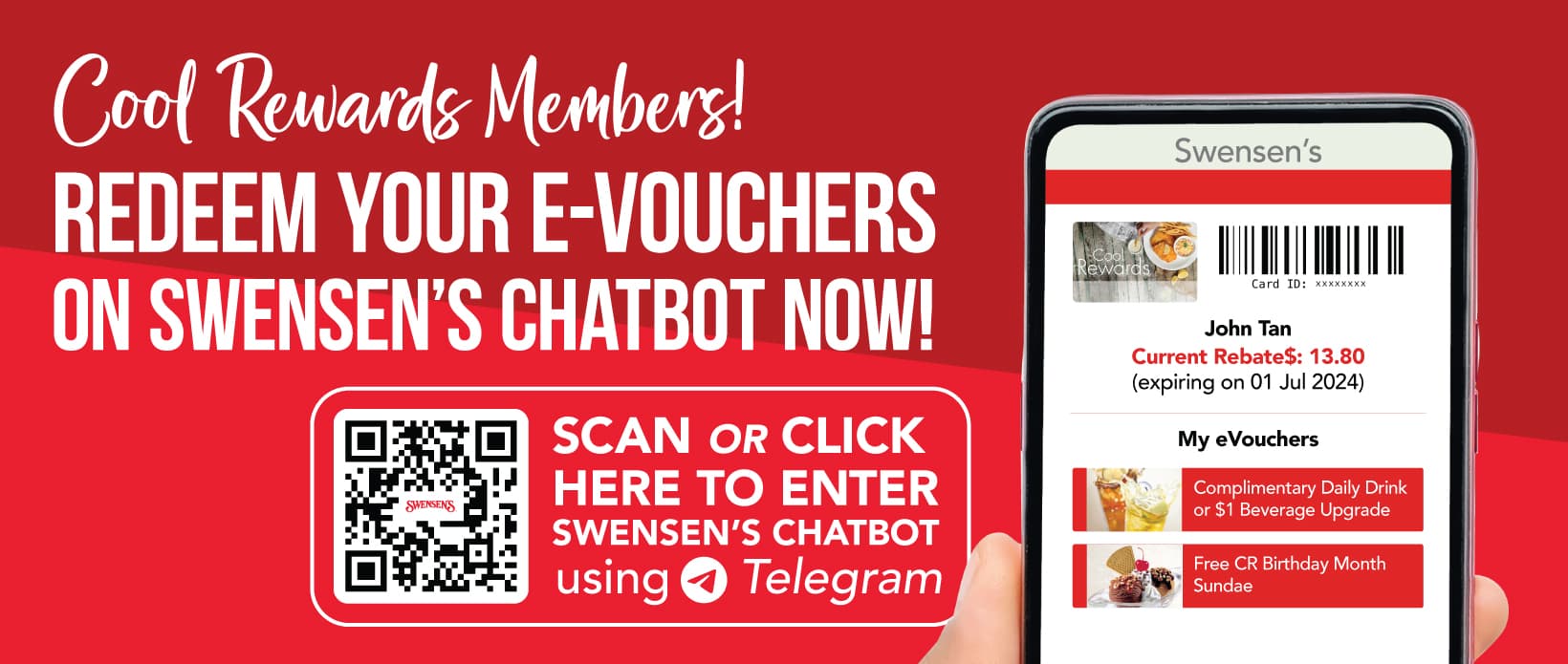
Watch Step-By-Step Video Guide to auto-redeem eVouchers via Swensen’s Chatbot at Swensen’s outlets:
Need help to log into Swensen’s Chatbot? View step-by-step guide to log in here
5 Easy Steps to Auto-Redeem Your eVouchers in Swensen’s Chatbot!
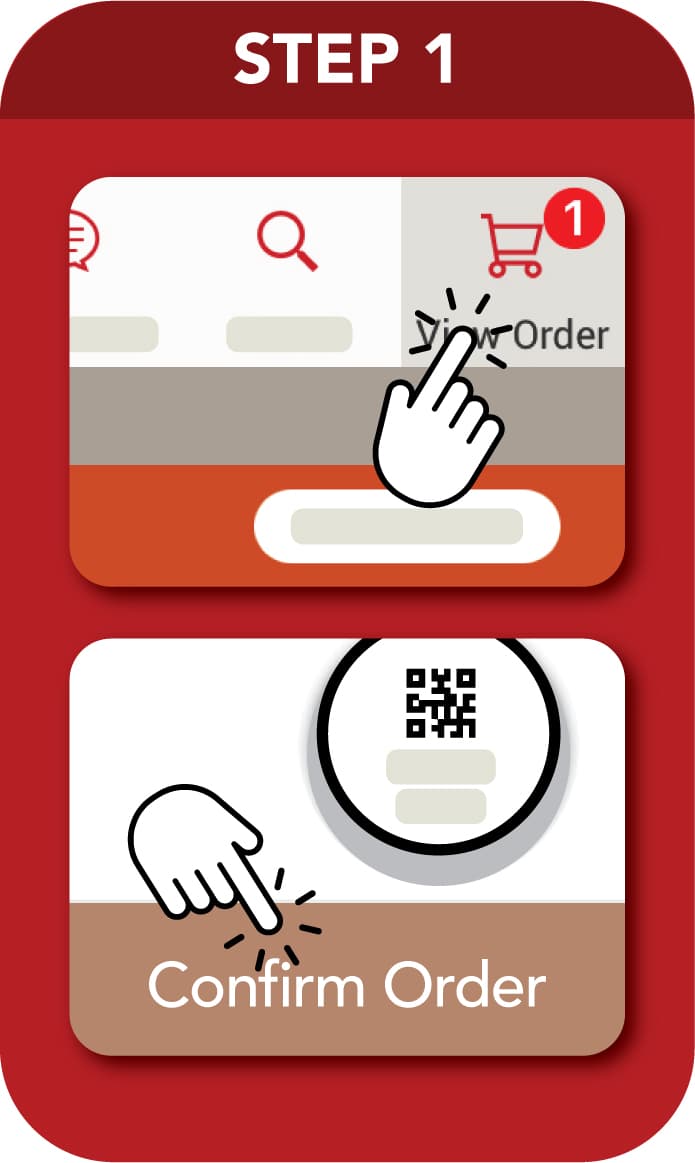
Step 1
Confirm your order on tablet menu.
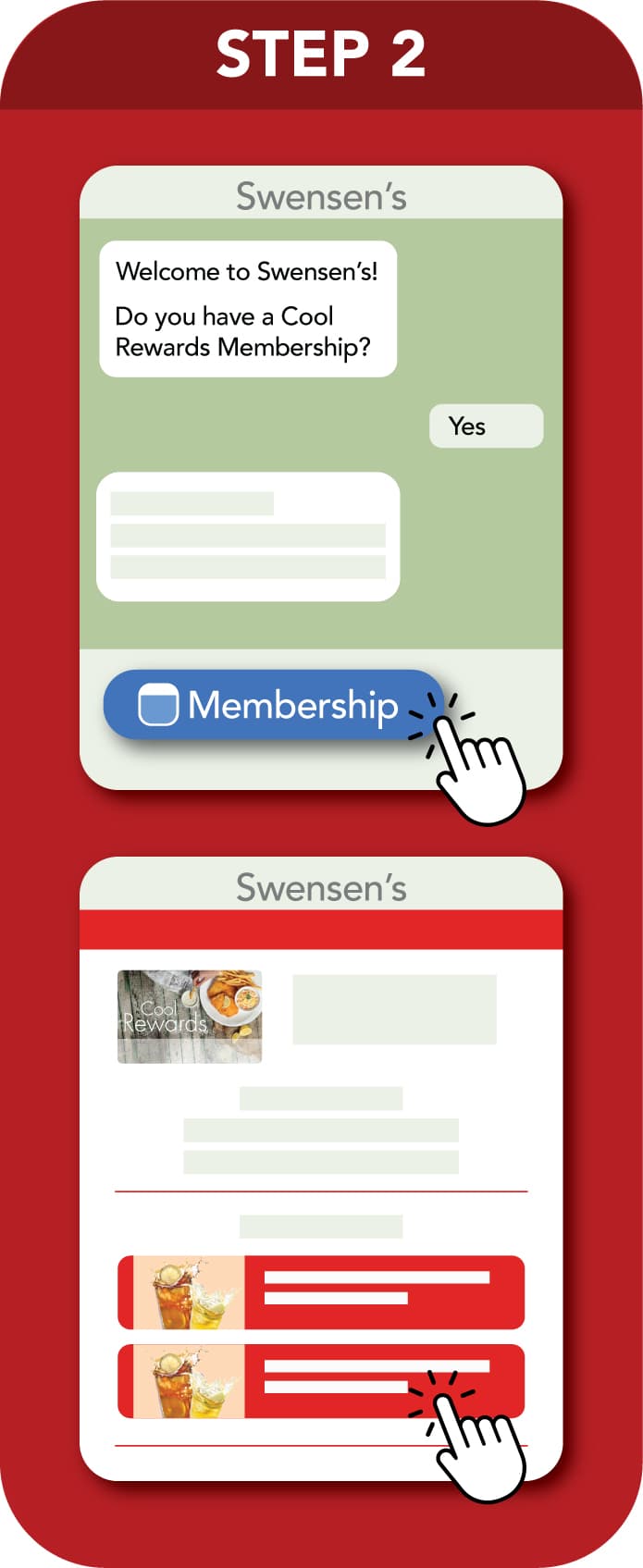
Step 2
Enter Swensen’s Chatbot (via Telegram), click here to enter Swensen’s Chatbot. And select eVoucher of choice.
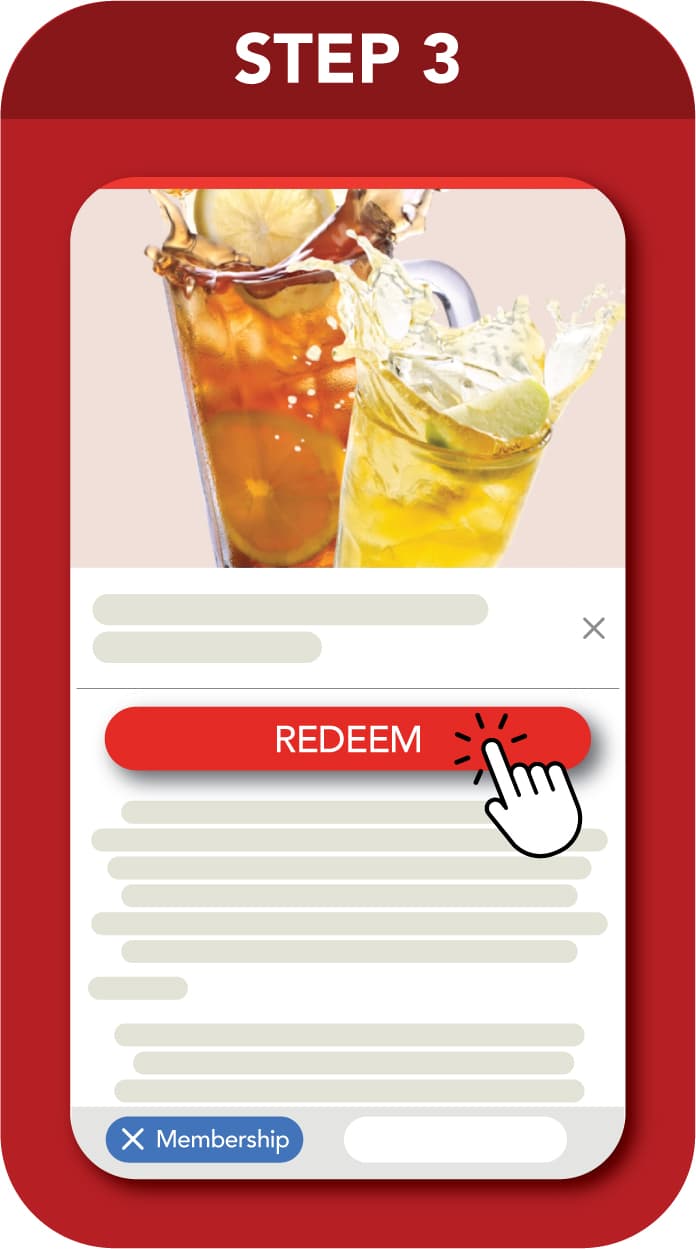
Step 3
Click on ‘Redeem’ button.
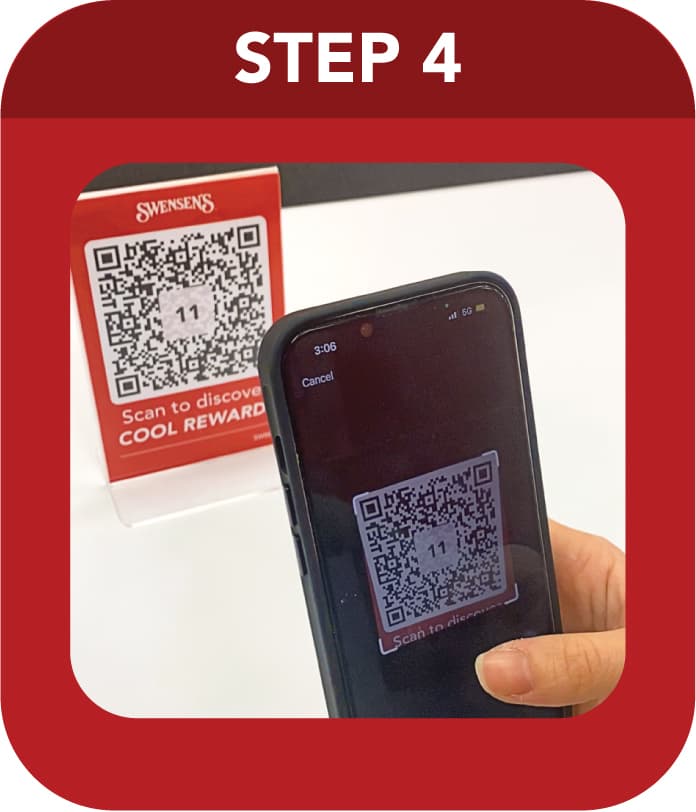
Step 4
Scan QR code with table number.
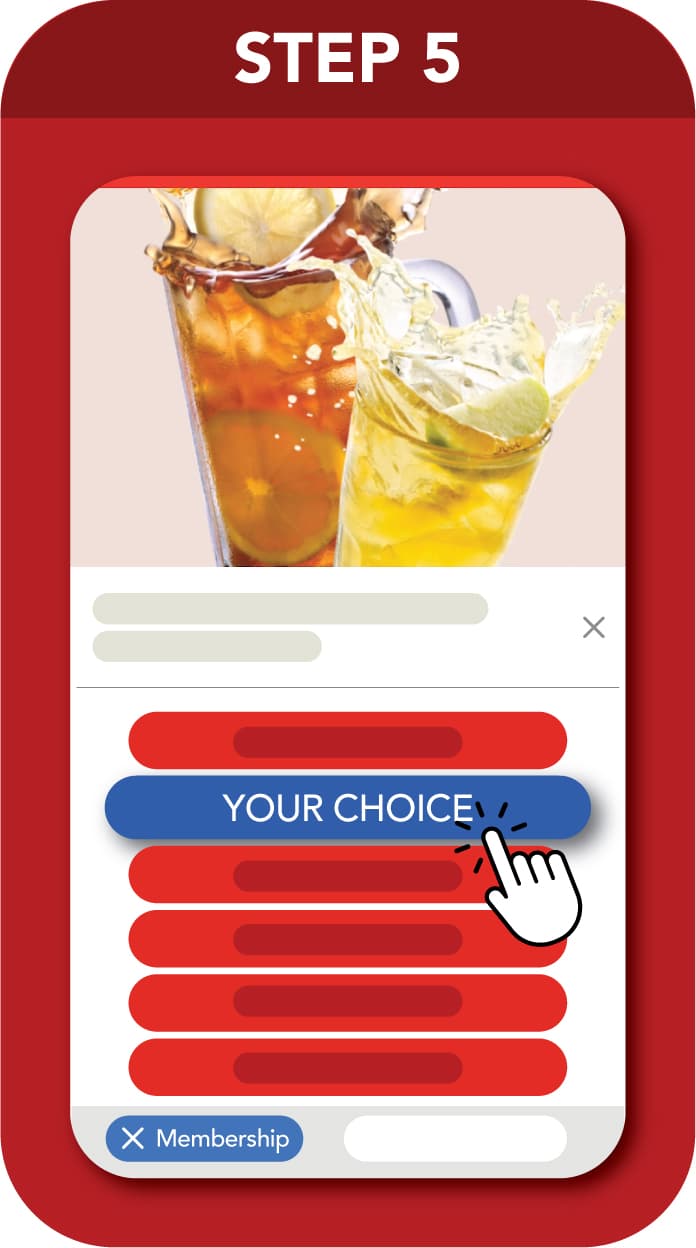
Step 5
Select eVoucher’s option(s), if any.
*All images are for illustration purposes only. The management reserves the right to amend the details without prior notice.